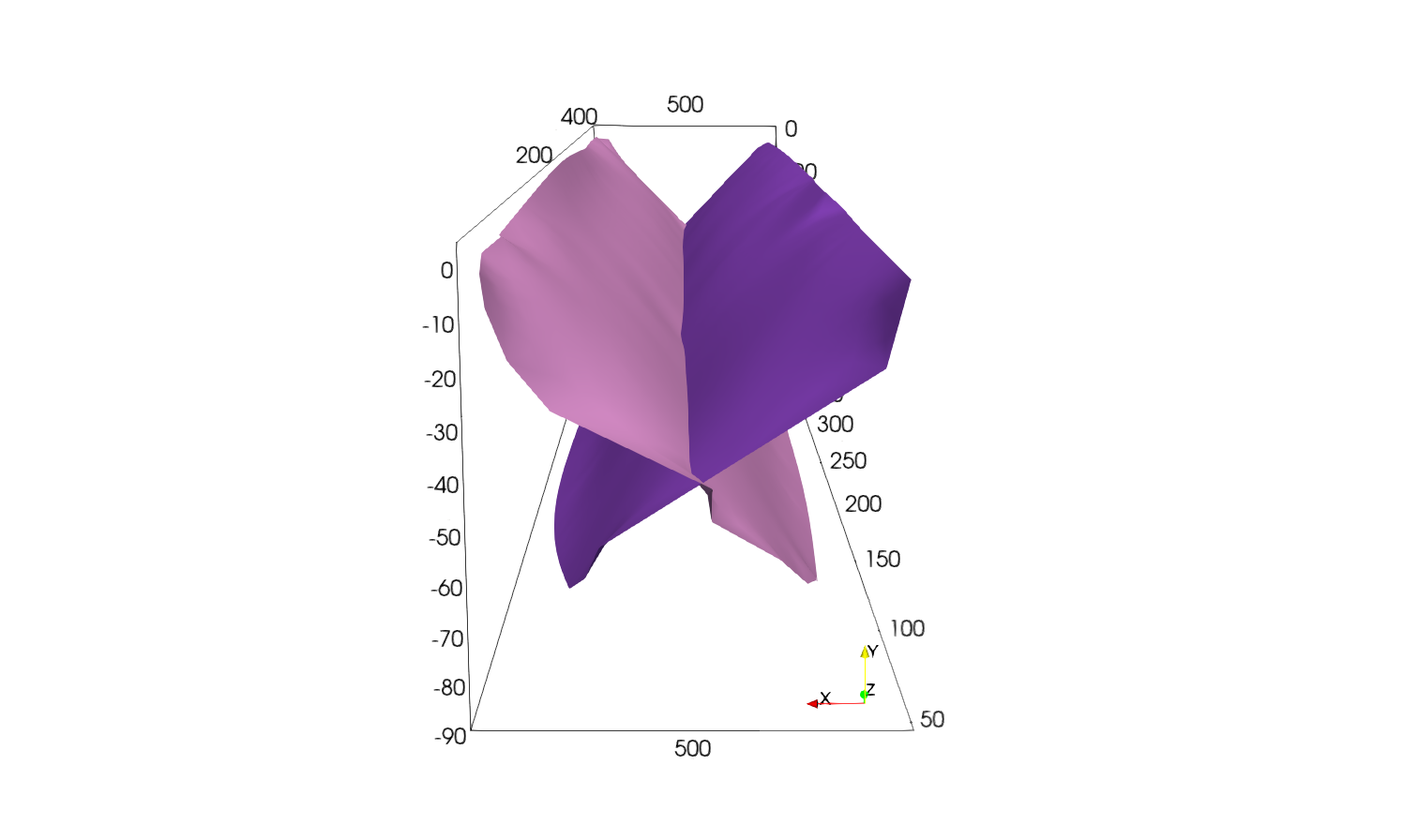
Rift example

The following example shows how to extract and mesh two faults interacting from a 3D model. The purpose of this example is to show how we can make use of implicit clip functions to remove some points from the medial axis point set and how to split it into subsets to individualize faults.
The file can be found in this repository and is the same as the one used for the rift model in the article “3D reconstruction of complex fault systems from volumetric geodynamic shear zones using medial axis transform”.
We will start directly from the medial axis obtained with the following YAML file. For a more interactive example, see the Single fault example.
To generate the medial axis we will use the following YAML file:
model:
  file: "Models/rift-cellfields-e2.vts"
  output: "Faults_output"
  fields: ["e2","xi"]
  e2_key: "e2"

extrusion:
  - name: "ymax"
    nsteps: 5
    dx: 1.0e4

contour:
  flip_normals: false
  isovalue: 0.85
  field_name: "xi"

medial_axis:
  radius_ma: 1e4
  pca_method: "sphere"
  radius_cov: 25000.0
Using this YAML file, we can directly obtain the extruded mesh, the contour and the medial axis in the output folder using
$ python scripts/get_medial_axis.py -f path/to/yaml/file.yaml
Clip the medial axis
On Paraview, open the medial axis file using file -> open -> Faults_output/rift-cellfields-ma.vtp.
You should have the following:
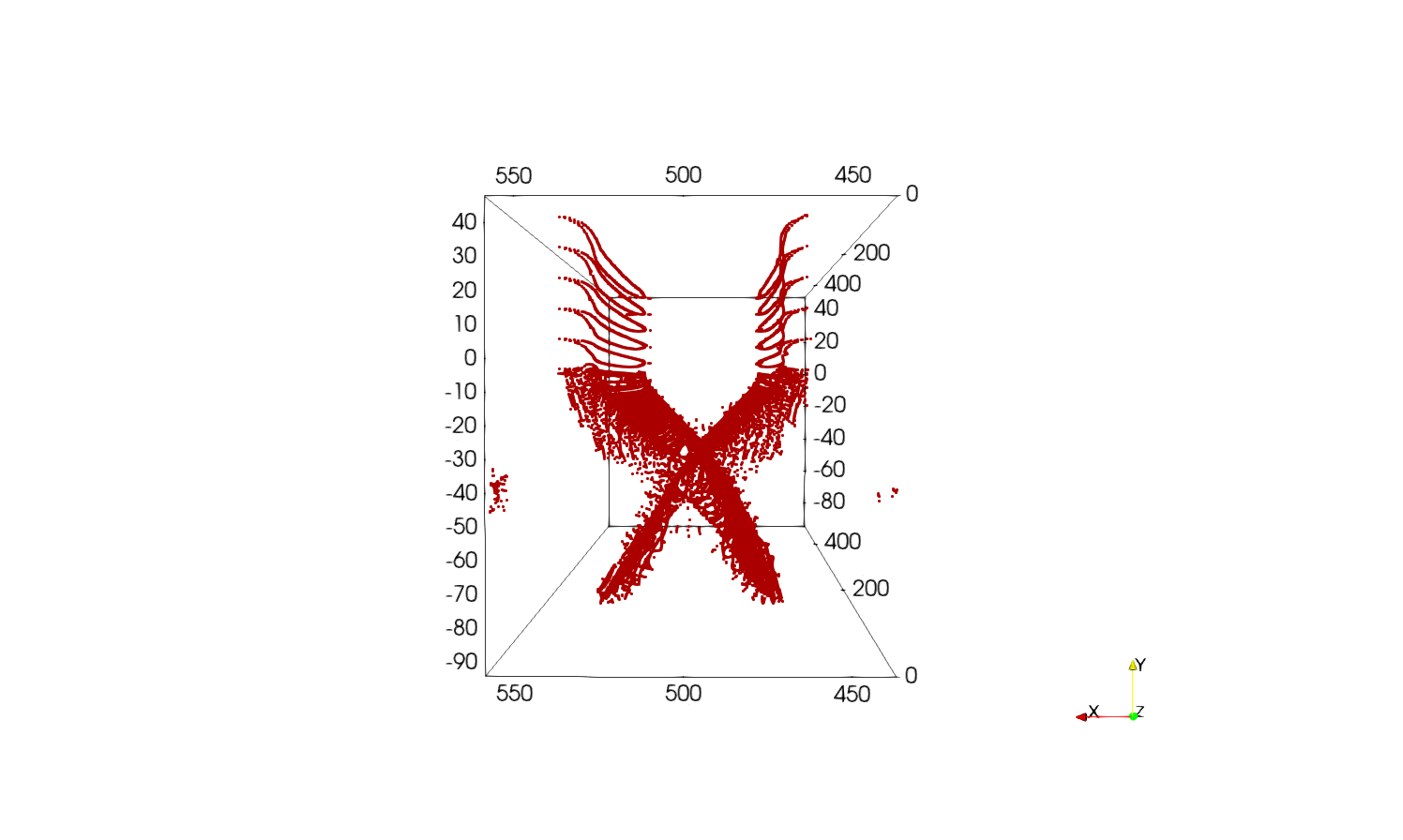
We can clearly identify two faults. To individualize them, we will use Filters -> Clip with clip type Box.
First fault
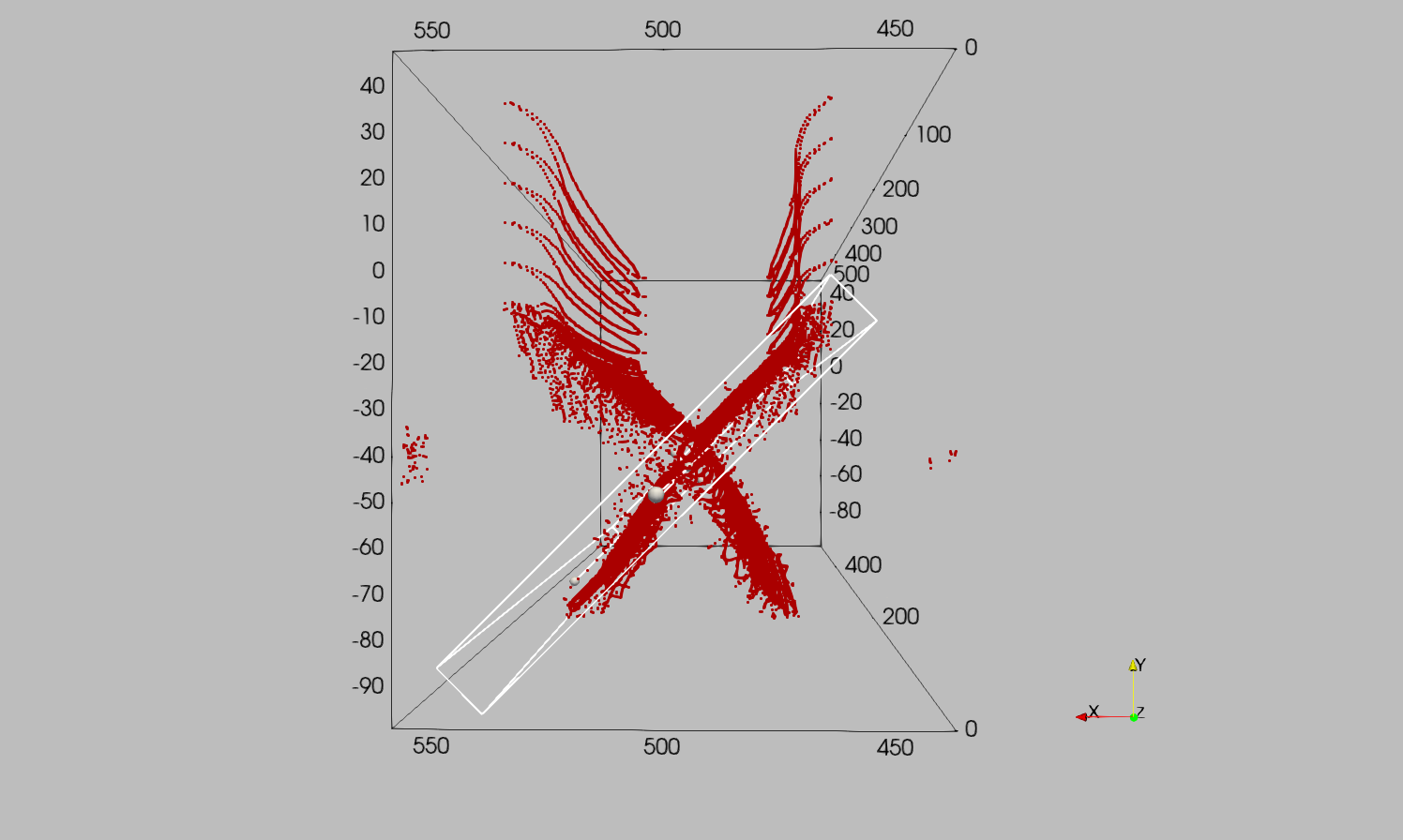
For this Filters -> Clip with clip type Box we will use the following parameters:
Position = [541786.3644705944, -98752.6446342942, 16828.67291570746]Rotation = [0, 0, 45]Length = [14780.166362142543, 126307.84710639693, 512491.1482486307]
The clip box should look like this:
Apply the clip and move to the second fault.
Second fault
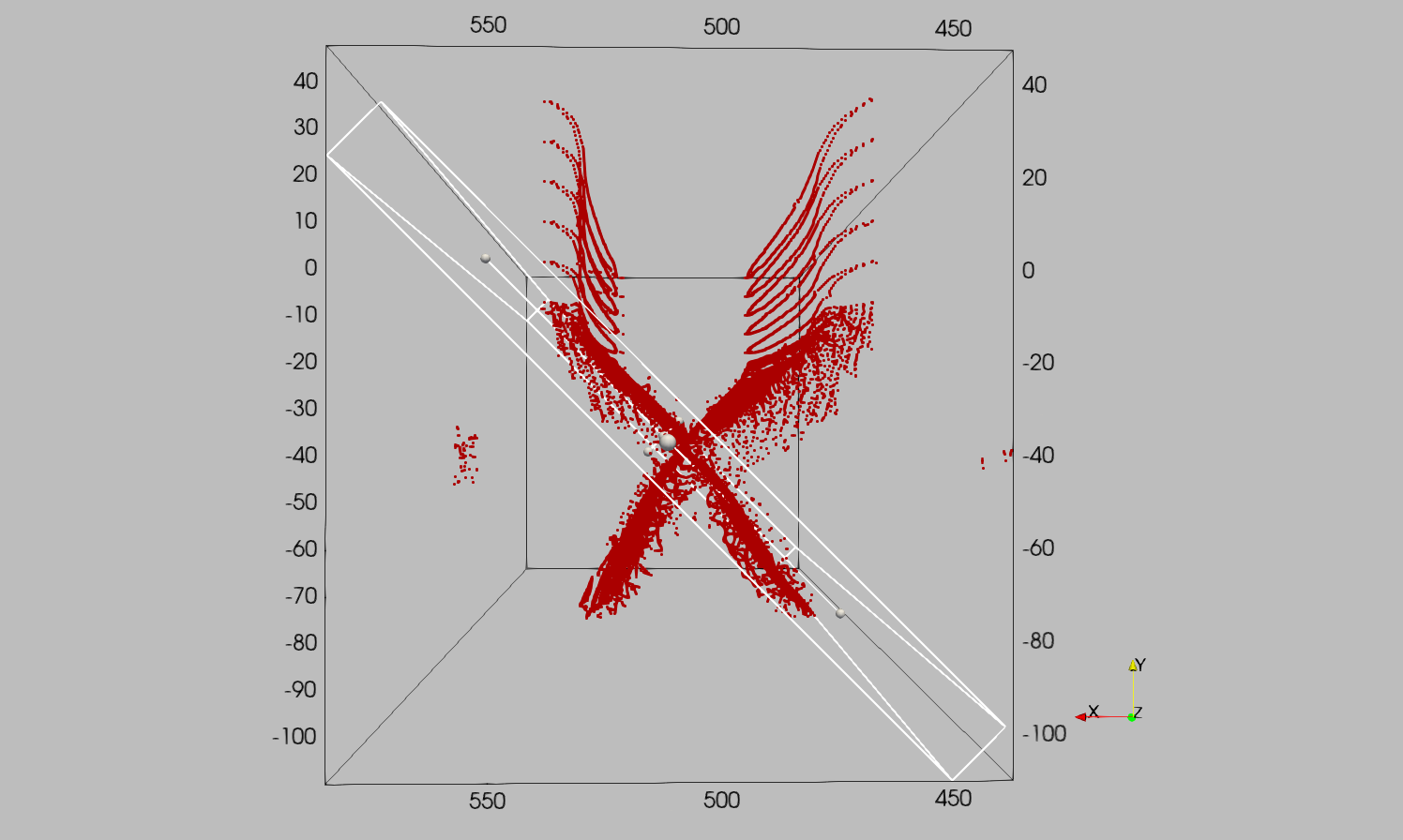
On the Original medial axis point set we use Filters -> Clip with clip type Box and the following parameters:
Position = [438705.88734516234, -98152.16976027744, -1652.6986957568442]Rotation = [0, 0, -45]Length = [16268.797325981977, 189668.6824818554, 512491.14824863104]
The clip box should look like this:
Apply the clip.
Mesh the faults
Now that we have two separate medial axis point sets, we can mesh them. The two individualized subsets should look like this:
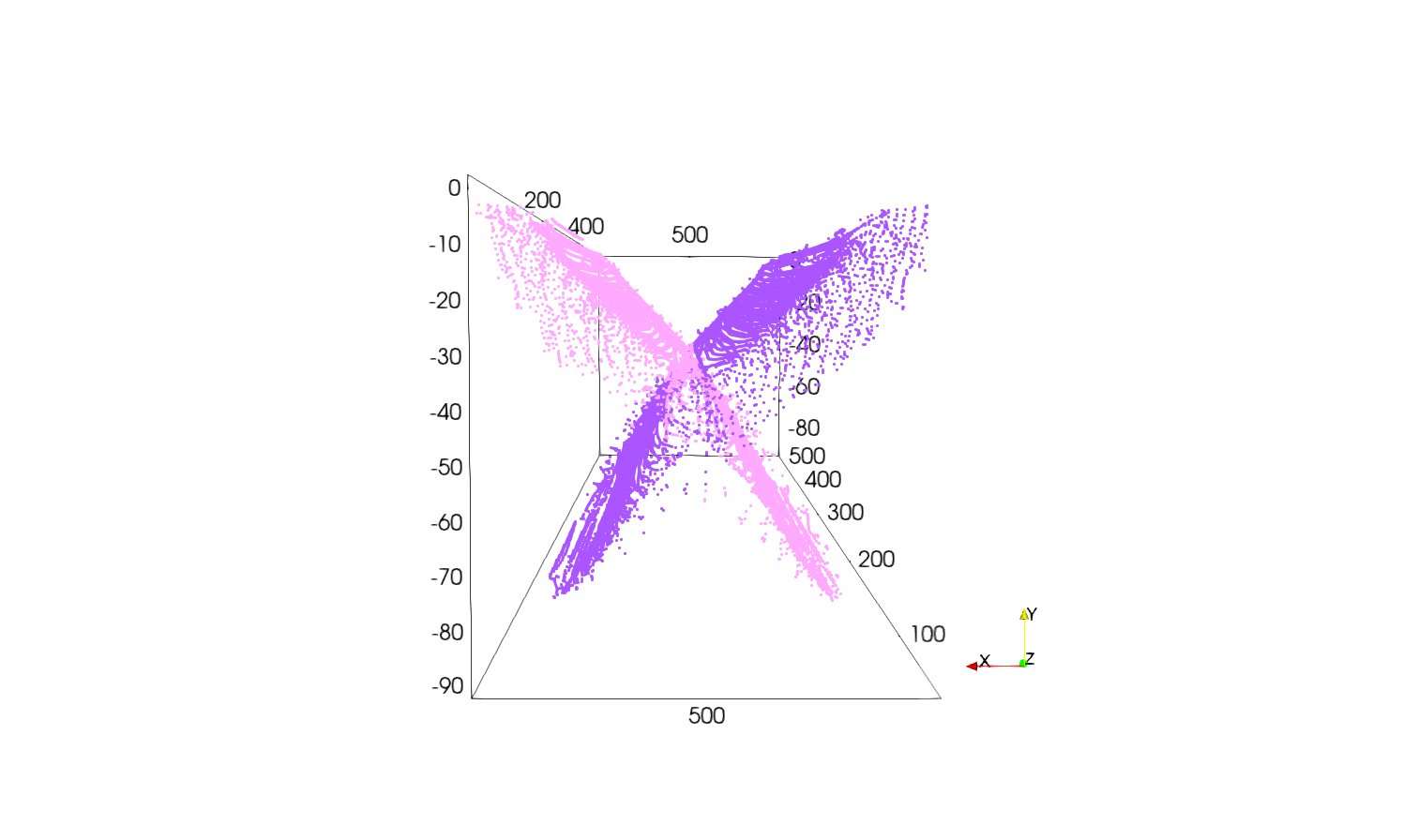
To mesh the faults we will use the Filters -> Delaunay 2D with the parameters:
Projection Plane Mode = Best-Fitting PlaneTolerance = 1.0e-2
The two meshed faults should look like this:
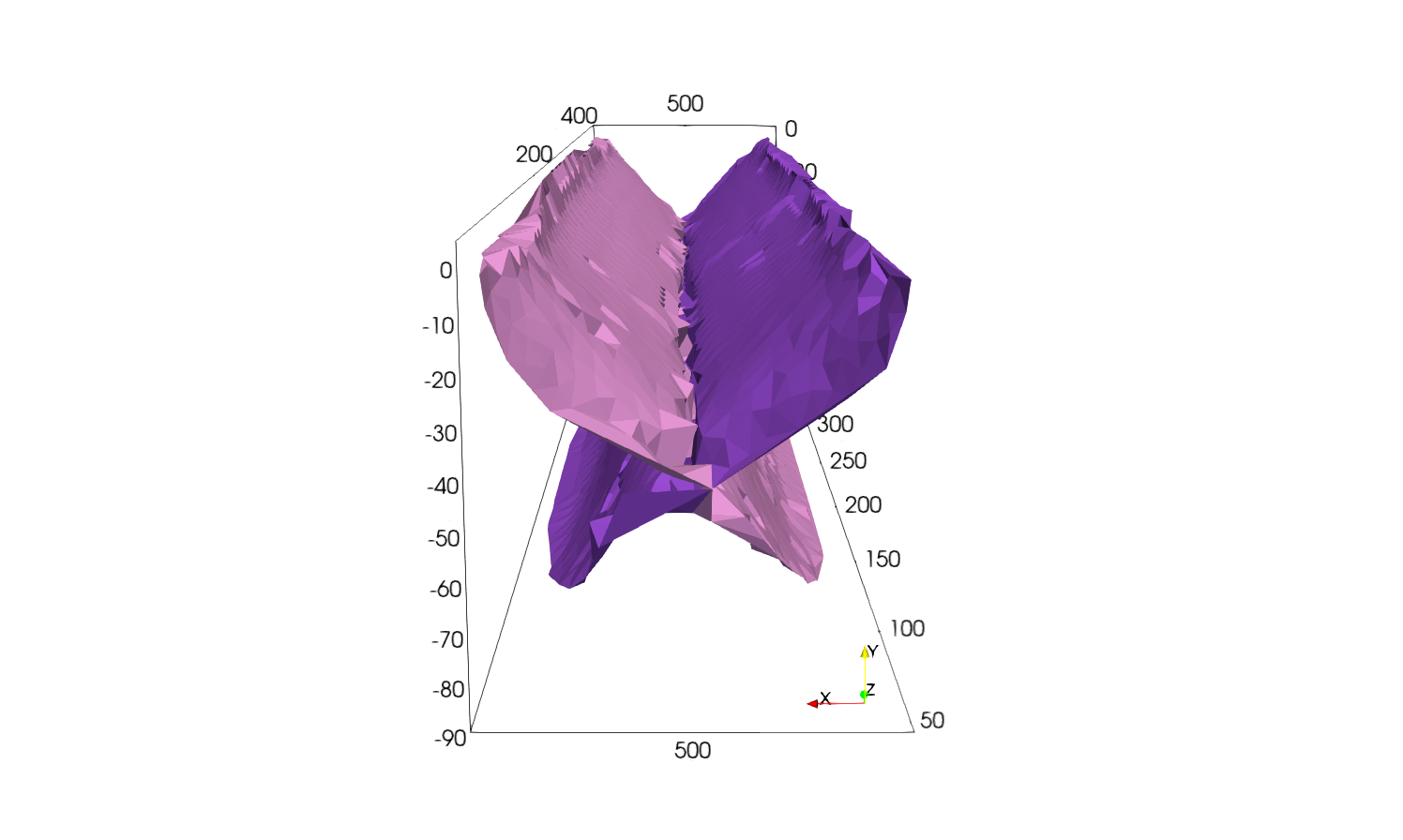
Smooth the meshes
The obtained Delaunay meshes are rough, therefore we apply them Laplacian smoothing using Filters -> Smooth with Number of Iterations = 1000. Using this filter on both meshes should give you the following result: