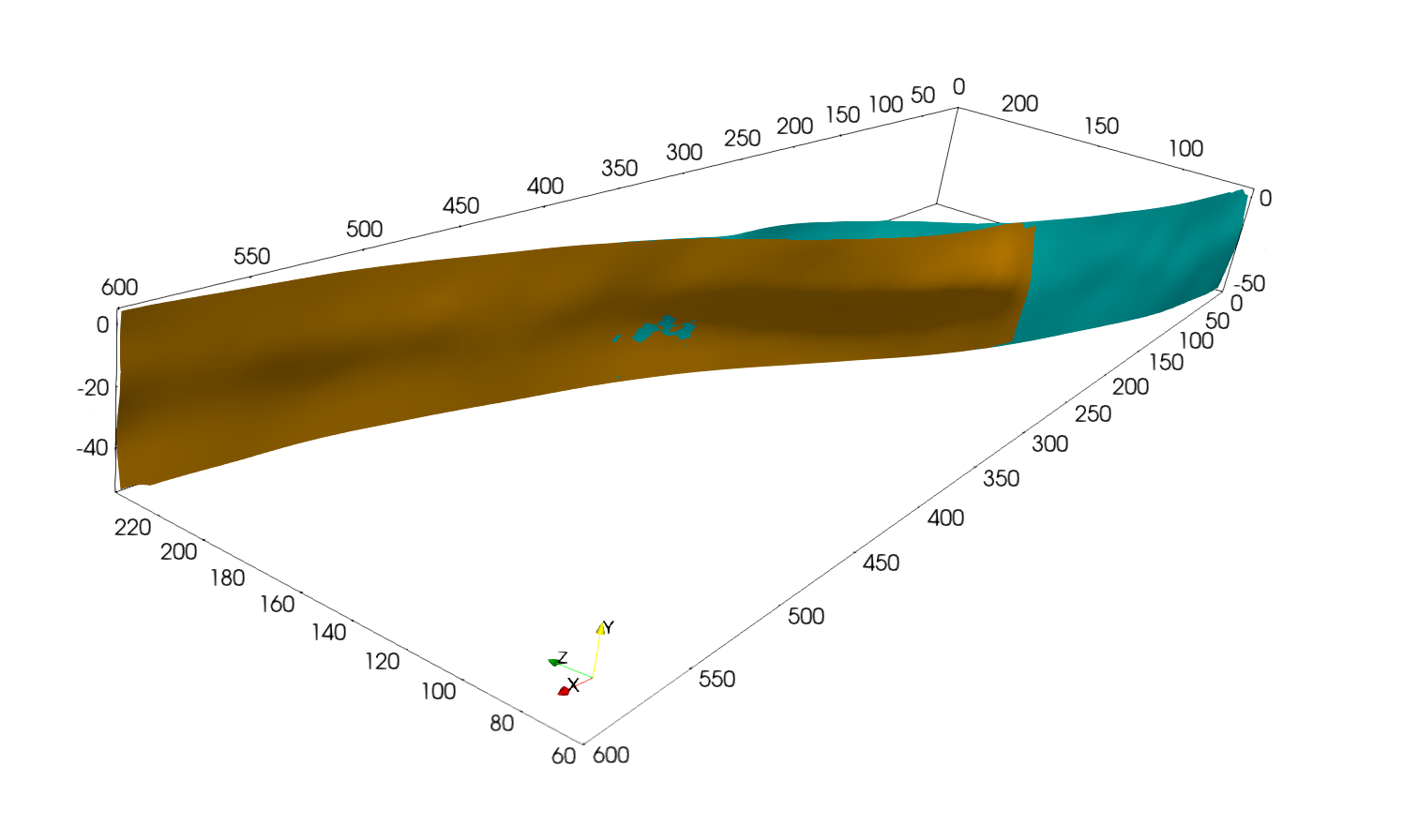
Restraining bend example
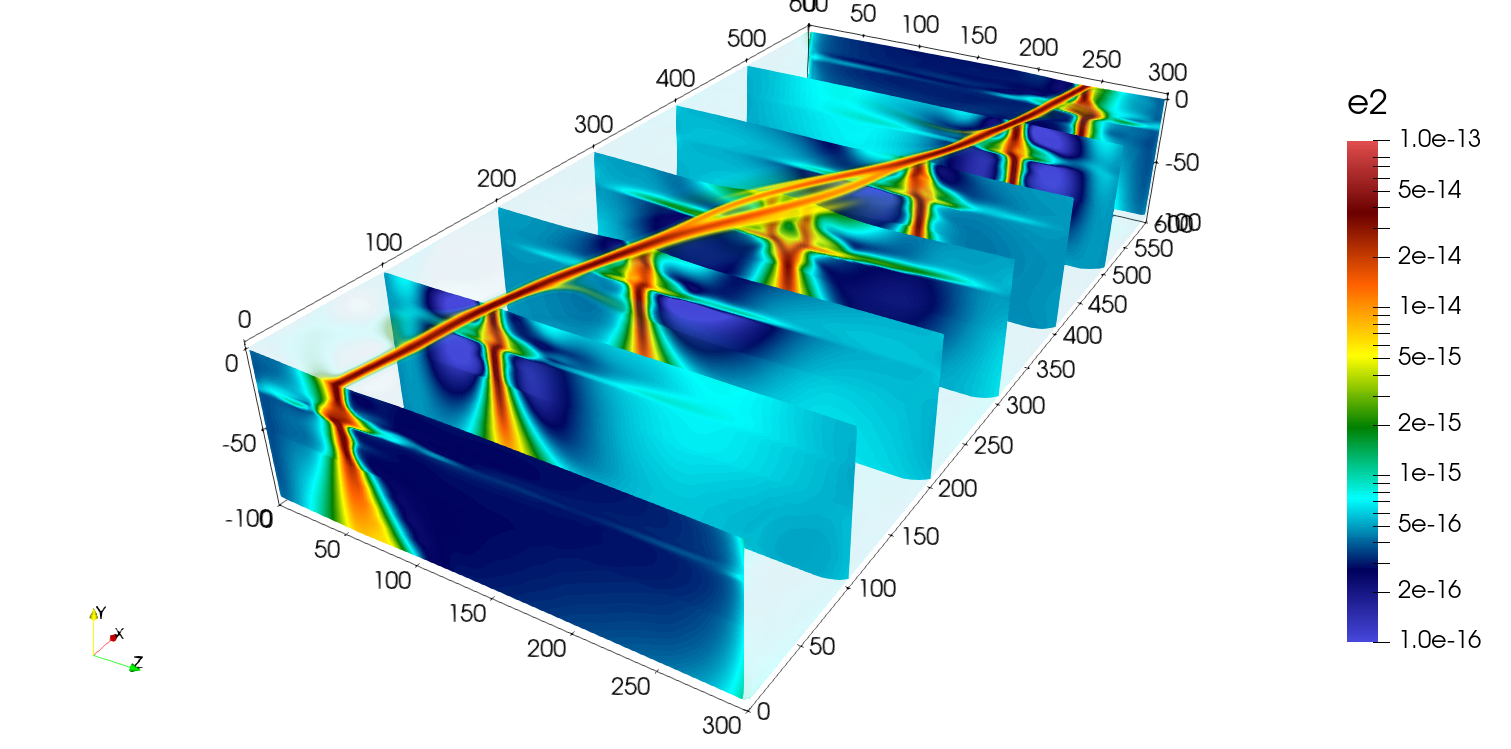
The following example shows how to extract and mesh two faults interacting from a 3D model. The purpose of this example is to show how we can make use of the covariance matrix eigenvectors to remove some points from the medial axis point set and how to split it into subsets to individualize faults.
The file can be found in this repository and is the same as the one used for the restraining bend model in the article “3D reconstruction of complex fault systems from volumetric geodynamic shear zones using medial axis transform”.
We will start directly from the medial axis obtained with the following YAML file. For a more interactive example, see the Single fault example.
model:
  file: "Models/restraining_bend-cellfields-e2.vts"
  output: "Faults_output"
  fields: ["e2","xi"]
  e2_key: "e2"

extrusion:
  - name: "ymax"
    nsteps: 5
    dx: 1.0e4
  - name: "xmax"
    nsteps: 5
    dx: 1.0e4
  - name: "xmin"
    nsteps: 5
    dx: 1.0e4

contour:
  flip_normals: false
  isovalue: 0.7
  field_name: "xi"

medial_axis:
  radius_ma: 1e4
  pca_method: "sphere"
  radius_cov: 8000.0
Using this YAML file, we can directly obtain the extruded mesh, the contour and the medial axis in the output folder using
$ python scripts/get_medial_axis.py -f path/to/yaml/file.yaml
Step 1: Subsample the medial axis
On Paraview, open the medial axis file using file -> open -> Faults_output/restraining_bend-cellfields-ma.vtp.
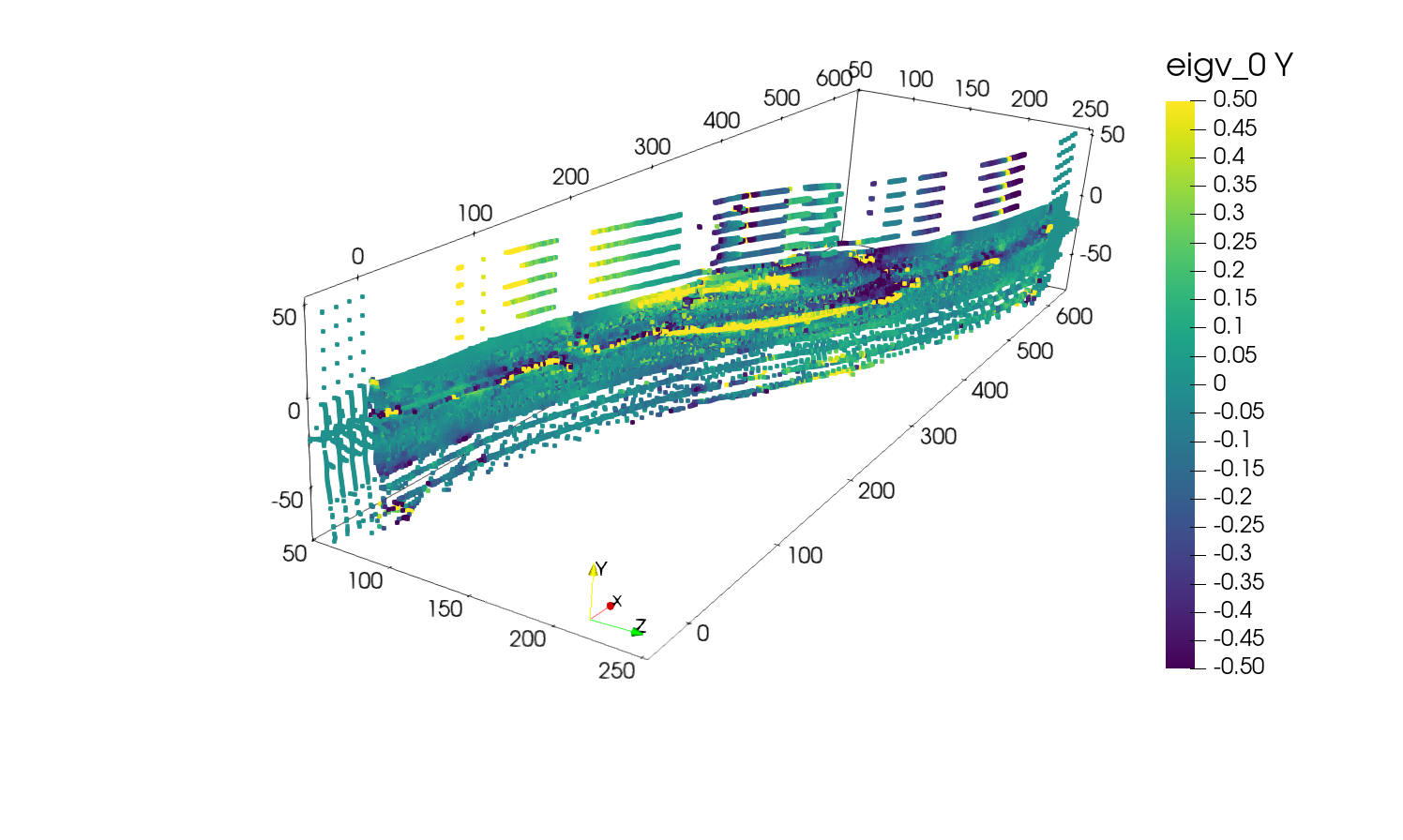
If you display the field eigv_0 and its Y component you should obtain the following:
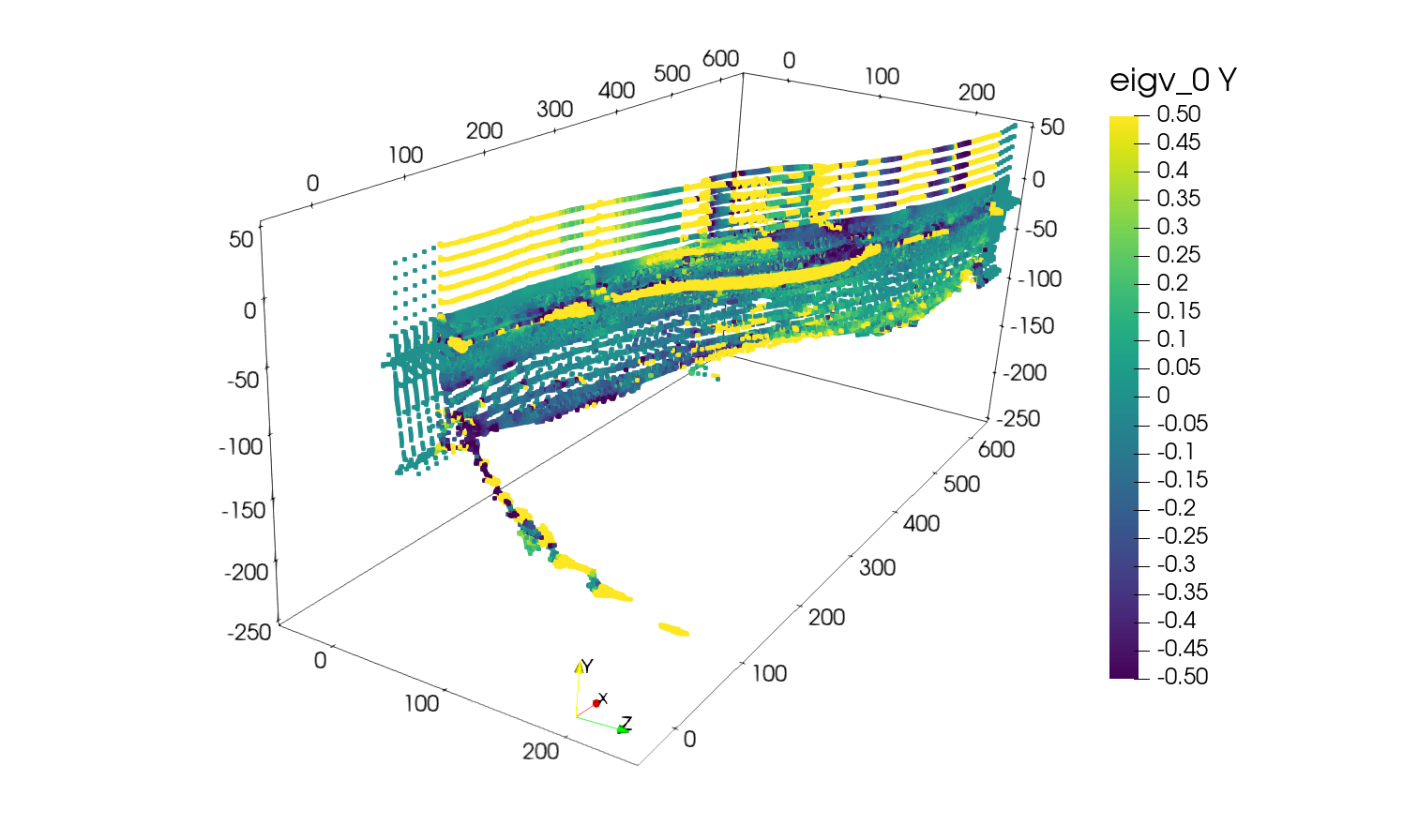
Contrarily to the Single fault example, this model contains two faults interacting. Therefore, before meshing the fault surface we need to split the medial axis into two subsets. In addition we can see that the medial axis point cloud extends to -200 km in the \(y\) direction which is clearly too deep for a fault and that it flattens near the Moho because of ductile deformation.
Therefore, we will start by removing the points that are deeper than -80 km by using Paraview’s Filters -> Clip using a clip type Box with the parameters Position = [-50e3, -80e3, -50e3] and Length = [700e3, 135e3, 310e3].
You should obtain the following:
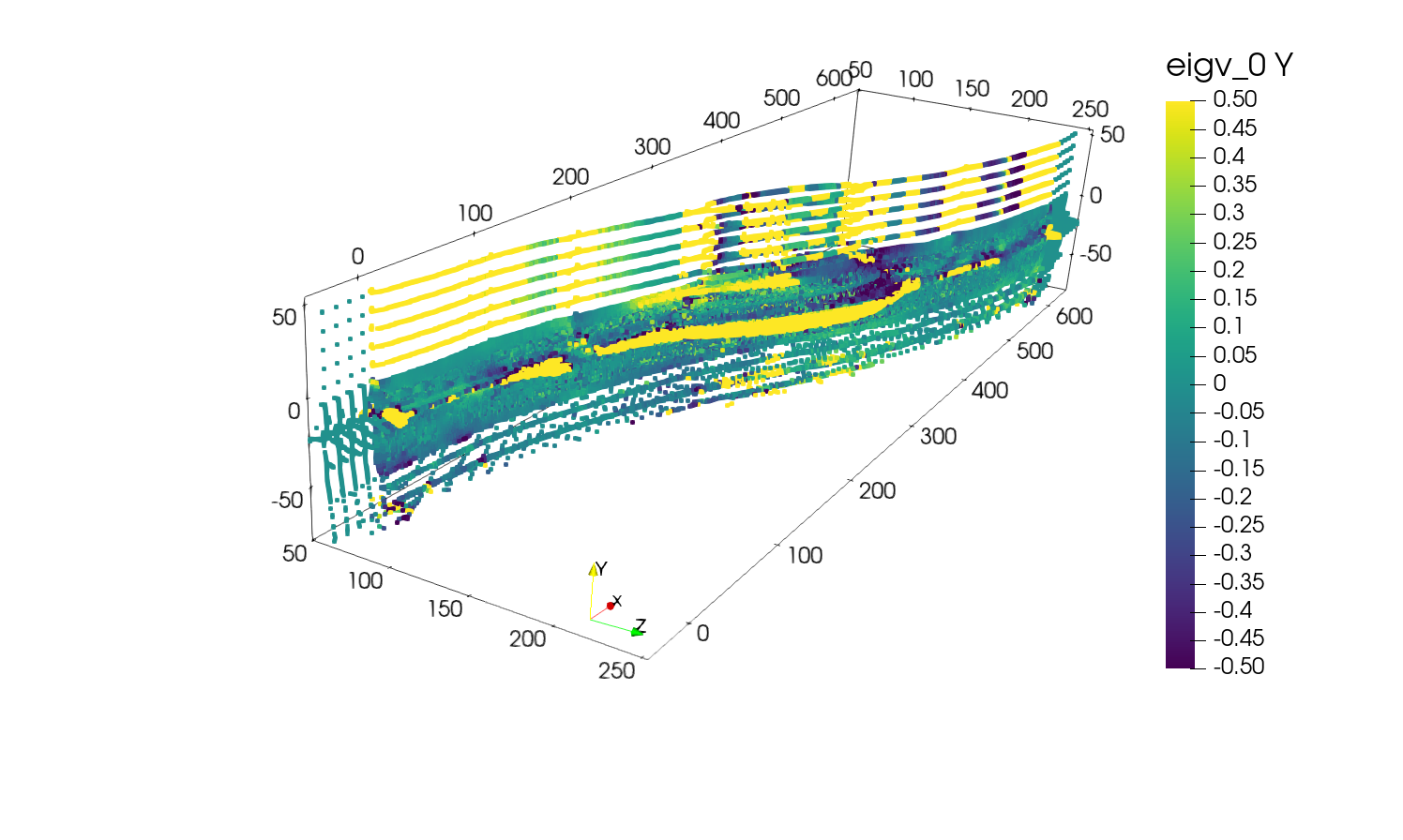
Then, we will remove the points constituting the flat parts of the medial axis using Filters -> Threshold on the scalar field eigv_0 and component Y.
By setting the lower threshold to -0.8 and the upper threshold to 0.8 you should obtain the following:
Step 2: Split the medial axis
Now that we have removed the unwanted points, we will split the medial axis into two subsets representing the two faults.
To do so, we will use the Filters -> Clip with a clip type Plane.
2.1. Clip the first fault
For the first fault, we will set
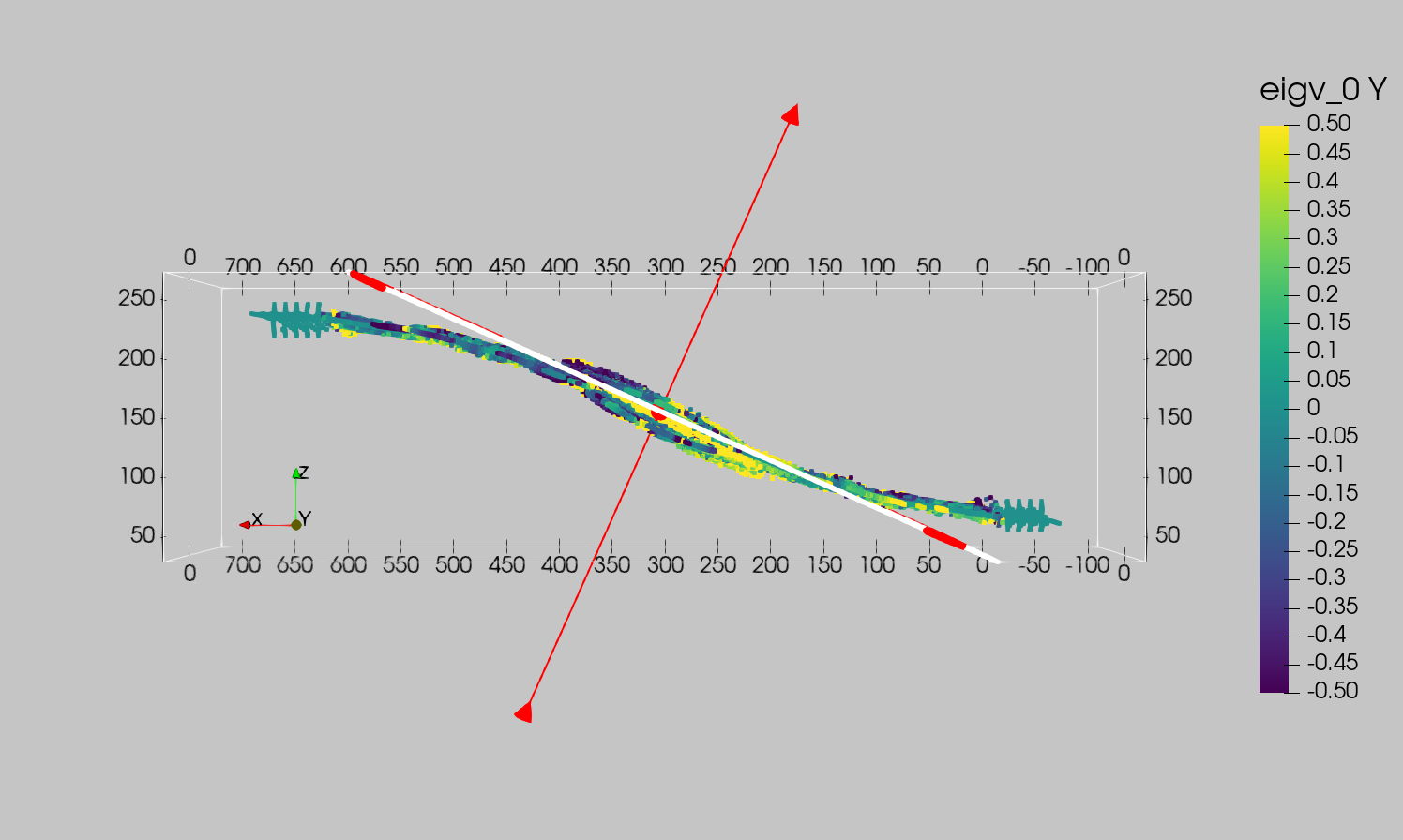
Origin = [302387.67032763775, -13307.810077180751, 157019.16522767508]Normal = [-0.4079877008277339, 0, 0.9129874237760889]
The plane should look like this:
Apply the clip.
2.2. Clip the second fault
Starting from the last Threshold filter, we will apply a second Clip filter with the following parameters:
Origin = [306564.330654226, -13307.810077180751, 147672.71104823978]Normal = [-0.4079877008277339, 0, 0.9129874237760889]
And uncheck the option Invert to keep the points on the opposite side of the plane than for the previous clip.
Warning
Make sure to apply the clips on the previously Threshold filtered points and not on the previous Clip or original points set.
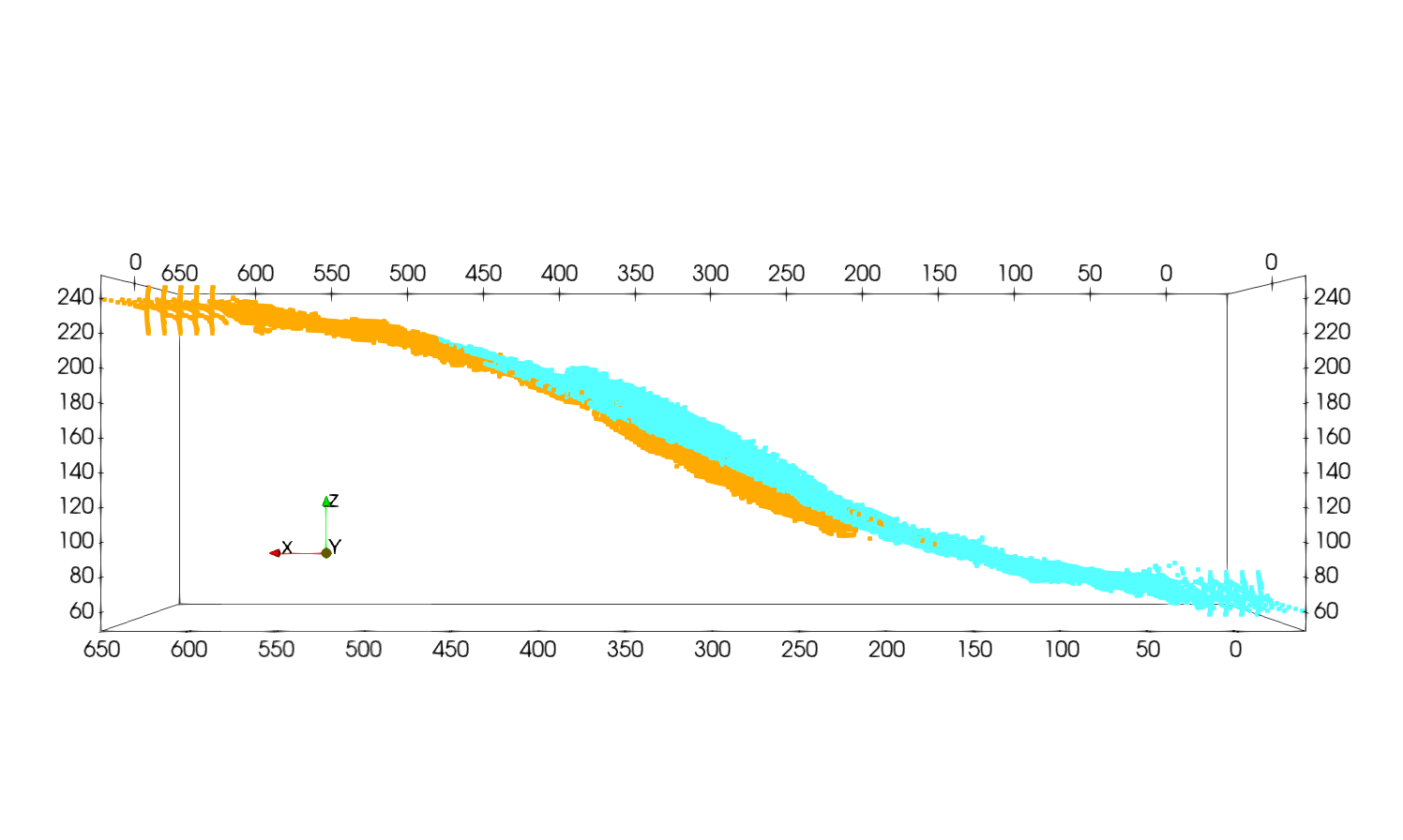
Once the two points subsets have been separated you can color them using a different solid color for each subset and obtain a representation like this:
Note
It is normal to have overlaps between the two subsets. This will ensure that the faults touch each other.
Step 3: Mesh the faults
Now that we have two subsets corresponding to the two branches of the restraining bend, we can mesh them.
To do so we will apply the Filters -> Delaunay2D filter to each subset with the following parameters:
Projection Plane Mode = XY PlaneTolerance = 5.0e-3
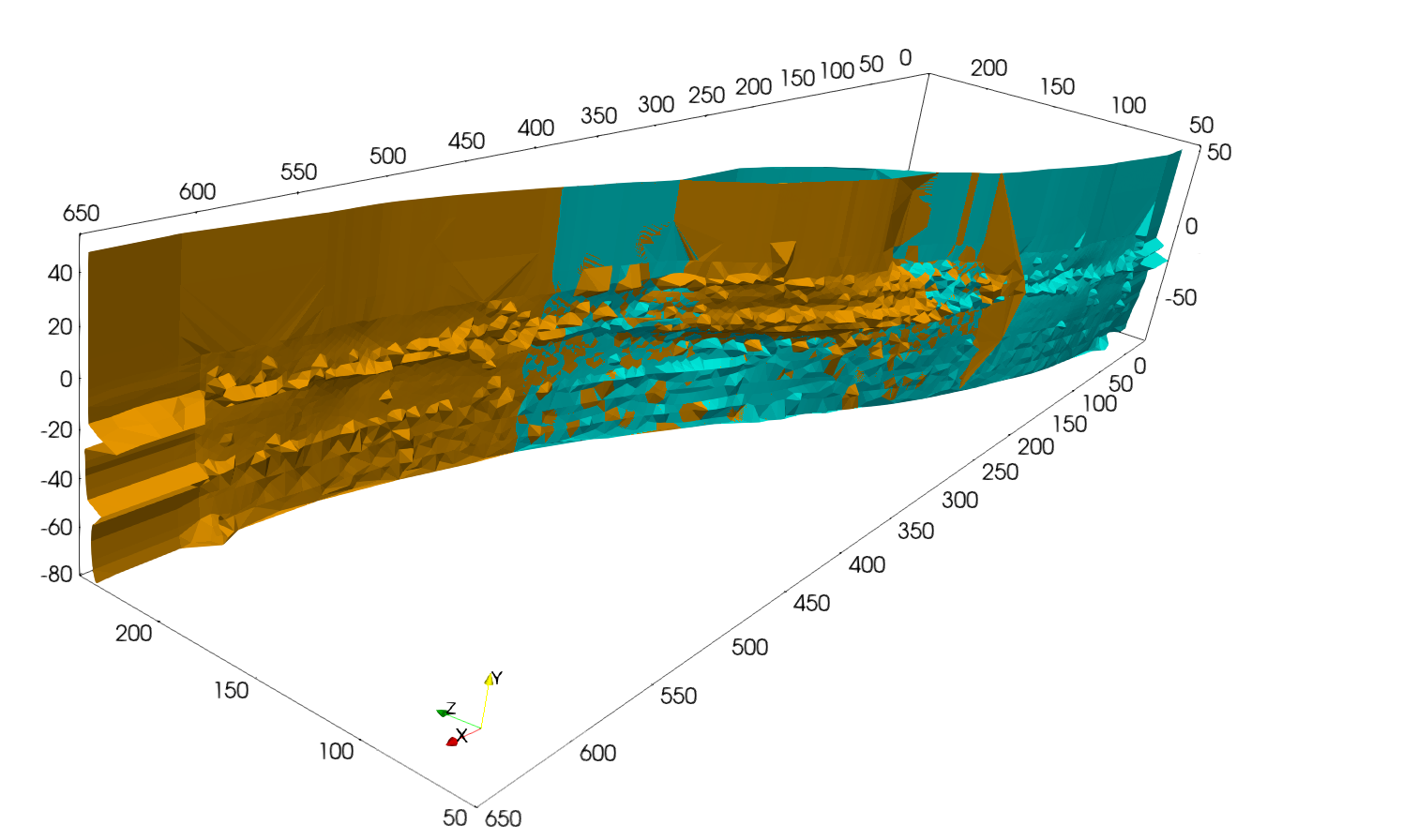
Applying this filter to the two subsets should give you the following meshes:
Step 4: Smooth the meshes
Next we will apply Laplacian smoothing using Filters -> Smooth to the meshes to obtain a smoother fault representation.
Using a Number of iterations = 1000 should result in the following meshes:
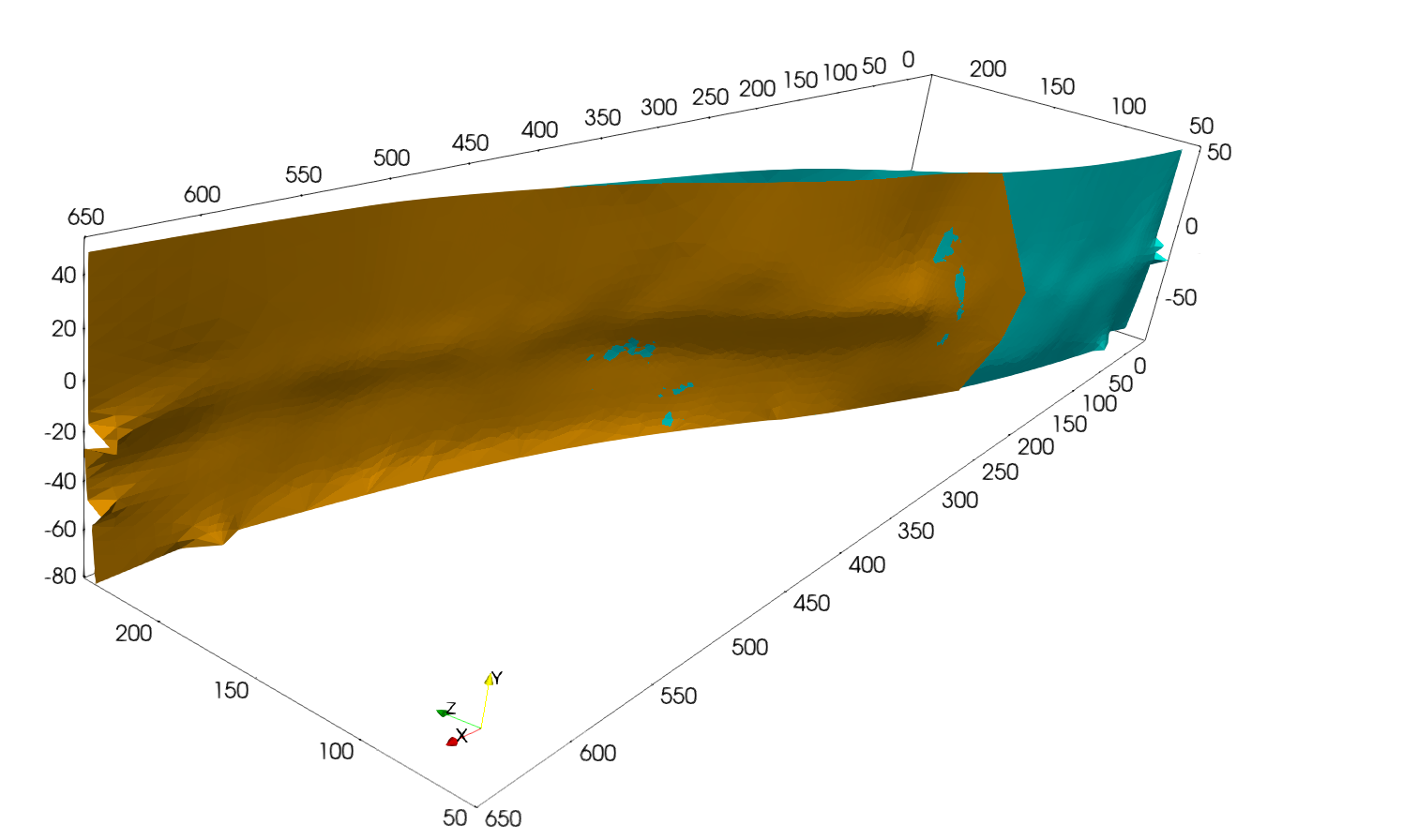
Finally you can apply another Filters -> Clip to remove the extruded and the deepest parts of the meshed surface if needed to obtain the following fault representation: